WhatsApp Plus Ghost Mode and Become Completely Invisible on WhatsApp
WhatsApp Plus ghost mode is the ultimate privacy mode for users who want to use WhatsApp without being seen by anyone. The regular app shows your online status, last seen, typing activity, and read receipts to every contact by default.
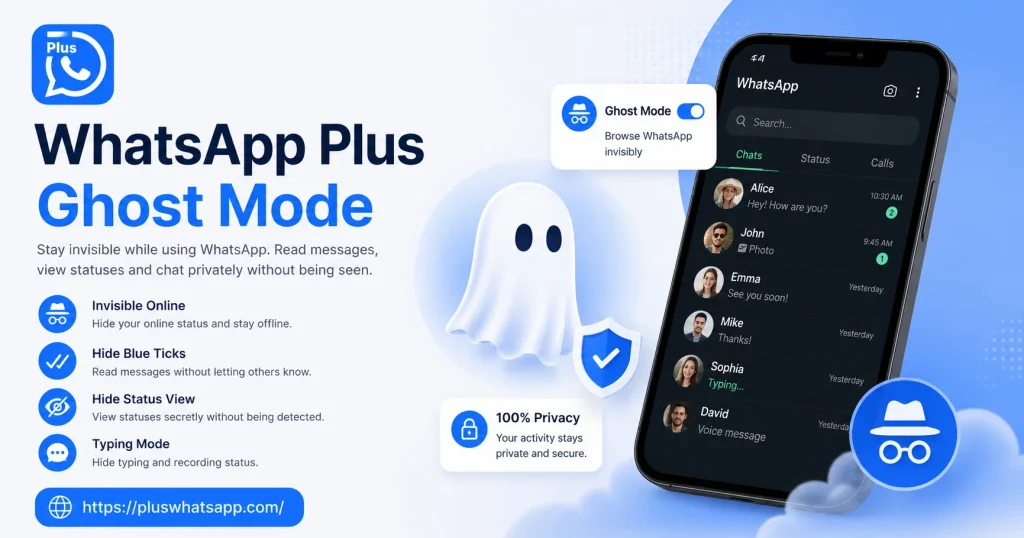
Ghost mode flips all of that off at once. You can read messages, view statuses, and even type replies without leaving any trace of your activity. It feels like being a ghost in the chat world while still enjoying every feature WhatsApp has to offer.
What Ghost Mode Actually Hides
Ghost mode is not just one setting. It is a collection of privacy toggles that work together to make you invisible across every part of the app.
When ghost mode is fully active, your last seen stays frozen at whatever time you choose. Your online status disappears completely. Blue ticks never show up even after reading messages. Typing indicators stay hidden. And your name does not appear in status view lists even when you check out someone update.
|
Feature Hidden |
Stock WhatsApp |
Ghost Mode |
|---|---|---|
|
Last Seen |
Optional |
Always Hidden |
|
Online Status |
Visible |
Always Hidden |
|
Blue Ticks |
Visible |
Always Hidden |
|
Typing Indicator |
Visible |
Always Hidden |
|
Status View Receipt |
Visible |
Always Hidden |
How to Activate Ghost Mode
Setting up ghost mode takes only a few minutes and works on every modern version of WhatsApp Plus.
Open the app and head into the Plus Settings section. Look for the Privacy menu and you will find a dedicated option for Ghost Mode. Tap on it and you will see a master toggle that activates every privacy feature at once.
You can also customise each setting individually if you want a less extreme level of invisibility. For example, you can hide only your online status while still letting blue ticks appear for certain contacts.
Why Last Seen Freezing Matters
Freezing your last seen is one of the most useful parts of ghost mode. The official WhatsApp only lets you hide last seen from everyone, which means you cannot see anyone else last seen either.
WhatsApp Plus lets you freeze your own last seen while still seeing when your contacts were last active. You can also set a custom frozen time so people think you were last online at a specific moment rather than a random date.
This is especially useful for maintaining a believable online presence. If you normally appear online during certain hours, freezing your last seen within that window keeps your activity pattern looking natural to anyone who checks.
Hide Your Online Status
Hiding your online status means nobody can tell whether you are currently using WhatsApp or not. Even when you are actively chatting, your contacts will see you as offline.
This is perfect for situations where you want to use WhatsApp privately without announcing your presence. You can reply to urgent messages, catch up on group chats, and view statuses without anyone knowing you are online.
The hidden online status also prevents the awkward situation where someone messages you the moment they see you come online. With ghost mode active, you stay invisible even when actively using the app.
Stay Invisible in Group Chats
Ghost mode also works inside groups. Your activity in group chats stays hidden from other members. You can read messages without sending read receipts and react to content without triggering typing indicators.
This is useful for people who want to stay updated in work or community groups without appearing active. You can read everything quietly and respond only when you are ready.
Group admins will not see you as a participant who read their announcements. Your viewing activity stays completely private even in the busiest group chats with hundreds of active members.
View Statuses Without Being Seen
One of the most loved parts of ghost mode is the ability to view statuses without your name appearing in the viewer list. The official WhatsApp always shows who has seen a status, which removes any chance of viewing something privately.
WhatsApp Plus lets you view any status update without leaving a trace. The status owner will not see your name in their viewer list, and you can even download the status using the built in save feature without any notification being sent back.
Will My Messages Still Send Normally
Yes, ghost mode only hides your activity indicators. It does not block outgoing messages or affect how your texts, photos, or videos reach the recipient.
You can still send messages, make voice calls, and start video calls without any limitations. The only difference is that the other person will not see when you were last online or whether you have read their previous messages.
Combining Ghost Mode with Other Features
Ghost mode works even better when combined with the lock chat and hide chat features. You can stay invisible to everyone while also hiding specific conversations behind a PIN or fingerprint lock.
Combined together, these features give you the most private messaging experience possible on any WhatsApp client. You control who sees you, who sees your chats, and who can access your app at any time.
Final Thoughts
WhatsApp Plus ghost mode is the perfect solution for anyone who wants full control over their visibility. Whether you need a break from constant availability or simply prefer to keep your activity private, this mode gives you complete freedom.
Activate it with one tap, customise each setting to your liking, and enjoy a messaging experience where you decide exactly how much of yourself you share with the world.
Frequently Asked Questions
Does ghost mode affect message delivery? No, ghost mode only hides your activity indicators and does not block or delay outgoing messages.
Will I still see other people last seen? Yes, ghost mode hides your last seen from others but does not affect what you see from your contacts.
Can I exit ghost mode anytime? Yes, you can toggle ghost mode on or off with one tap and instantly return to normal visibility.
Does ghost mode work inside group chats? Yes, your activity stays hidden in both personal and group conversations when ghost mode is active.
Can I view statuses without being detected? Yes, ghost mode lets you view any status update without your name appearing in the viewer list.