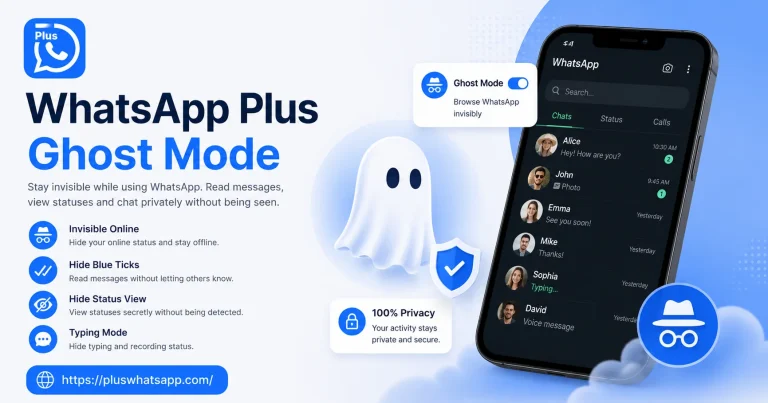
WhatsApp Plus Hide Blue Tick and Take Full Control of Your Read Receipts
WhatsApp Plus hide blue tick is hands down the most popular privacy feature among millions of users worldwide. The blue tick marks that appear when you read a message can feel like a burden, especially when you need time to think before responding.

With WhatsApp Plus, you can read every message in peace without the sender ever knowing. This guide covers everything about hiding blue ticks, freezing last seen, and staying invisible while still using WhatsApp actively.
What Are Blue Ticks and Why People Want to Hide Them
Blue ticks are the small check marks that turn blue once you open and read a message. While they seem harmless, they create social pressure because the sender knows you saw their message and is now waiting for a reply.
Not everyone has the time to respond immediately. Some people want to read messages during meetings, while driving, or while focusing on work. Hiding blue ticks lets you read on your own schedule without making anyone feel ignored.
Hiding blue ticks is also useful in professional situations. You might receive a message late at night that you want to think about before responding in the morning. Without hiding blue ticks, the sender knows you were awake and read their message but chose not to reply, which can create unnecessary tension.
How to Enable Hide Blue Tick in WhatsApp Plus
The process to enable this feature takes less than a minute and works on every recent version of WhatsApp Plus.
Open WhatsApp Plus and tap on the three dot menu in the top right corner. Go to Plus Settings or Privacy and Security depending on your version. Look for the option that says Hide Blue Ticks or Disable Read Receipts and toggle it on.
Once enabled, you will still see blue ticks when others read your messages, but your own reading activity will stay completely hidden from every contact on your list.
Some versions of WhatsApp Plus require you to restart the app for the setting to take full effect. If the blue ticks still appear after enabling the toggle, close the app completely and reopen it before testing again.
Selective Blue Tick Hiding
The best part about WhatsApp Plus is that it does not force a single setting on everyone. You can choose exactly who sees your blue ticks and who does not.
If you want to hide read receipts from your boss but still send them to your best friend, you can do that easily. Just go into the privacy settings, find the custom list option, and add the specific contacts you want to block from seeing your blue ticks.
This selective approach gives you the best of both worlds. You stay accountable to people who matter while keeping your privacy intact with everyone else.
Combining Hide Blue Tick with Other Privacy Features
Hiding blue ticks works even better when combined with other privacy options available in WhatsApp Plus.
Freeze your last seen so nobody knows when you were last active online. Hide your typing indicator so people do not see you typing and then stopping. Disable the second tick so even the delivered confirmation stays hidden. And turn off status viewing receipts so your name does not appear on other people status lists.
When you stack these features together, you basically become invisible on WhatsApp while still being able to chat, view statuses, and read messages freely.
Difference Between Hide Blue Tick and Disable Read Receipts
Some users get confused between these two terms even though they mean almost the same thing in WhatsApp Plus.
| Feature | What It Does |
|---|---|
| Hide Blue Ticks | Stops blue ticks from appearing when you read a message |
| Disable Read Receipts | Removes all confirmation ticks including grey and blue |
| Freeze Last Seen | Keeps your last seen time stuck at a specific timestamp |
| Hide Second Tick | Stops others from knowing their message was delivered |
Each feature can be toggled independently so you can customise exactly how much information you want to share with your contacts.
Common Myths About Hiding Blue Ticks
Many people believe that hiding blue ticks stops them from seeing other people blue ticks too. That is not true. The setting only affects what you send out, not what you receive.
Another common myth is that hiding blue ticks breaks group chats. In reality, you can still see and respond to group messages normally. The only change is that other group members will not know if you have read their messages or not.
Some users also worry that hiding blue ticks might affect voice or video calls. Calls work independently and are not affected by any read receipt settings.
Will Group Admins Know You Read Messages
Group admins can sometimes see who has read messages through special tools, but hiding blue ticks in WhatsApp Plus still applies inside groups.
If a group uses a poll or a reaction feature, your activity may still be visible because those work on a different system. However, regular text messages, photos, and videos will not trigger blue ticks from your account even inside large groups.
When Should You Temporarily Show Blue Ticks
There are moments when showing blue ticks actually helps your relationships. If a close friend or family member sends you something important, acknowledging it with a blue tick reassures them that you received and read their message.
You can enable blue ticks briefly for important conversations by adding those contacts to your exception list in WhatsApp Plus. Toggle the setting back to hidden once the urgent conversation is over. This flexible approach lets you balance privacy with social courtesy.
Final Thoughts
The WhatsApp Plus hide blue tick feature is a small toggle with a massive impact on how you use WhatsApp every day. Whether you want a break from constant reply pressure or just prefer to keep your reading activity private, this feature delivers exactly what you need.
Pair it with the freeze last seen option and the typing indicator hider for a complete stealth experience. You will still enjoy all the features of WhatsApp while keeping your activity completely under your control.
Frequently Asked Questions
Will the sender know if I hid my blue ticks? No, the sender will never know that you hid your blue ticks because the app does not notify them about your settings.
Can I hide blue ticks only from specific contacts? Yes, WhatsApp Plus allows you to create a custom list of contacts who will not see your blue ticks while everyone else still does.
Does hiding blue ticks affect voice and video calls? No, calls work completely independent of read receipt settings and remain fully functional.
Will I still see other people blue ticks? Yes, hiding your own blue ticks does not affect what you see from other users in your chats.
Is the hide blue tick setting reversible? Yes, you can toggle the setting on or off anytime from the privacy section inside WhatsApp Plus settings.