WhatsApp Plus Privacy Settings You Should Configure Right Away
WhatsApp Plus privacy settings give you complete control over who sees what on your WhatsApp account. The official app offers only the bare minimum options, which leaves most users feeling exposed in one way or another.

WhatsApp Plus fills every gap with powerful settings that let you decide exactly what information you share and with whom. This guide covers the most important privacy options you should configure the moment you install the modded app.
Why Default WhatsApp Privacy Is Not Enough
The official WhatsApp gives you three or four privacy toggles that apply to everyone equally. You either hide your last seen from everyone or share it with everyone. There is no middle ground.
In real life, privacy is rarely that simple. You want your close friends to see when you are online but your coworkers to think you are always offline. WhatsApp Plus makes that level of granular control possible through selective privacy lists and custom exception settings.
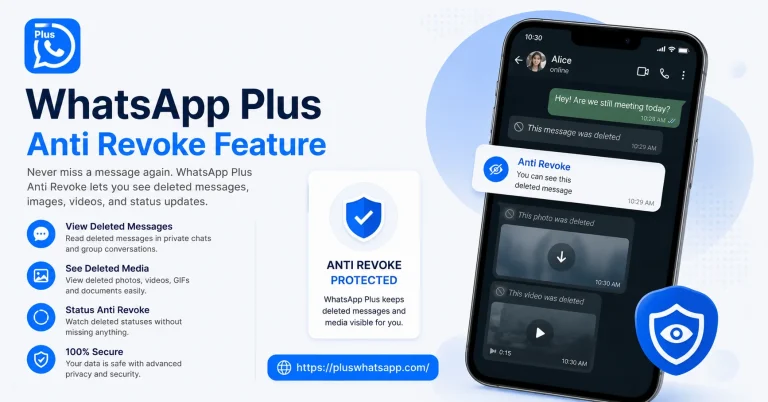
The default settings also do not protect you from situations like accidentally revealing your typing activity or letting someone know you viewed their status. WhatsApp Plus addresses all of these concerns with a dedicated privacy menu that covers every angle.
Hide Last Seen From Specific People
This is probably the most useful privacy feature in WhatsApp Plus. Instead of hiding your last seen from everyone, you can pick exactly who sees your online activity.
Open the privacy menu inside WhatsApp Plus and tap on Last Seen. You will see three options. Nobody, Everyone, and My Contacts Except. The third option is the magic one because it lets you select specific contacts who will not see your last seen while everyone else still can.
You can update this list anytime based on your current needs. Add someone when you want privacy from them and remove them when you no longer care.
Freeze Your Last Seen at a Custom Time
Even better than hiding last seen completely is freezing it at a specific time. WhatsApp Plus lets you set a fake last seen that stays constant no matter when you actually use the app.
This means people will think you were last online at 10 PM yesterday even if you were actively chatting at 3 PM today. It is a great way to maintain a believable online pattern without revealing your real activity.
Hide Online Status From Everyone
Your online status is the small green dot that appears next to your name when you are actively using WhatsApp. Hiding it makes you look offline even when you are typing replies.
WhatsApp Plus gives you a simple toggle for this. Once enabled, nobody can tell when you are using the app. You can still send and receive messages normally. The only change is that your contact list will always see you as offline.
Hide Blue Ticks Selectively
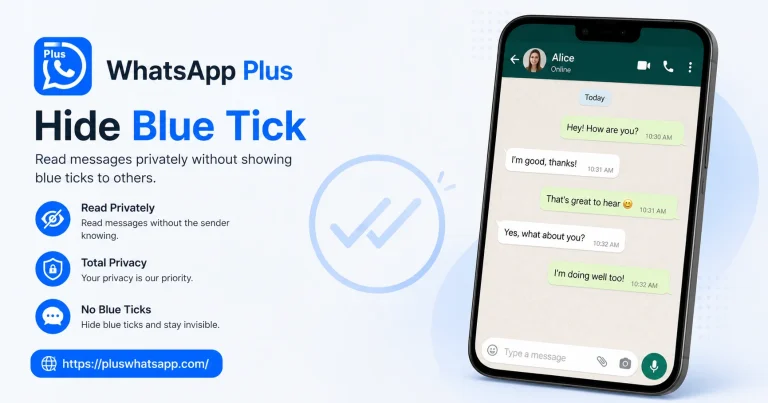
Hiding blue ticks from everyone can feel awkward because people expect you to acknowledge their messages. WhatsApp Plus solves this by letting you hide blue ticks only from specific contacts.
Create a custom list of people who will not see your blue ticks. Everyone else continues to see the usual read receipts. This way, you maintain social etiquette with most people while keeping your reading activity private from the few who do not need to know.
Hide Typing and Recording Indicators
The typing indicator is the three little dots that appear when you are composing a message. The recording indicator shows up when you are recording a voice note. Both can give away your activity in real time.
WhatsApp Plus lets you hide both indicators. Once enabled, people will not know whether you are typing, recording, or simply reading their message. Combined with hidden blue ticks, this gives you a completely silent chat presence.
Hide View Receipts for Statuses
When you view someone WhatsApp status, your name appears in their viewer list by default. This can feel intrusive because some people do not want others to know they checked their updates.
The privacy settings in WhatsApp Plus let you view any status without leaving a trace. The status owner will not see your name in their viewer list, which keeps your viewing activity completely private.
Disable Forwarded Message Tag
When you forward a message from one chat to another, WhatsApp adds a small forwarded label to keep track of the message origin. Some users find this annoying because it reveals that the message did not come from you originally.
WhatsApp Plus lets you remove this forwarded tag entirely. Your forwarded messages will look exactly like messages you typed yourself, which is useful for content creators and business accounts who share curated content regularly.
Hide Profile Photo From Strangers
This option is available in the official app too but WhatsApp Plus gives you more flexibility. You can choose to show your profile photo only to saved contacts or to specific custom lists.
This is useful for people who use WhatsApp for networking and want to keep their profile photo visible to clients but hidden from random contacts they add briefly for one time conversations.
Lock the App Itself
Beyond locking individual chats, WhatsApp Plus lets you lock the entire app with a PIN, password, or fingerprint. Every time you open WhatsApp Plus, you will need to authenticate before seeing any chats.
This adds a strong first layer of security. Even if someone gets hold of your unlocked phone, they still cannot access your messages without knowing your app lock credentials.
Final Thoughts
WhatsApp Plus privacy settings are not just about hiding one or two things. They give you complete control over every piece of information your contacts can see about you.
Take an hour to go through each setting, customise your exceptions, and build a privacy setup that matches your real life needs. Once configured properly, you will never worry about unwanted attention or accidental information leaks on WhatsApp again.
Frequently Asked Questions
Can I hide my online status from one specific person? Yes, WhatsApp Plus lets you create custom exception lists for almost every privacy setting including online status.
Will hiding blue ticks affect group chats? Blue tick settings apply inside groups too, so your read activity stays hidden from all group members.
Can I use fingerprint to lock the entire app? Yes, WhatsApp Plus supports fingerprint authentication for the full app lock on compatible devices.
Does freezing last seen affect message delivery? No, freezing your last seen only changes what others see and does not block any incoming or outgoing messages.
Are privacy settings reversible? Yes, every privacy option can be toggled on or off anytime without any data loss or app restart.